Explorer Monitoring Software
BETTER VISIBILITY FOR SMARTER DECISIONS
A seamless software system for remote monitoring via APG gateways. Visualize your sensor data with security and precision.
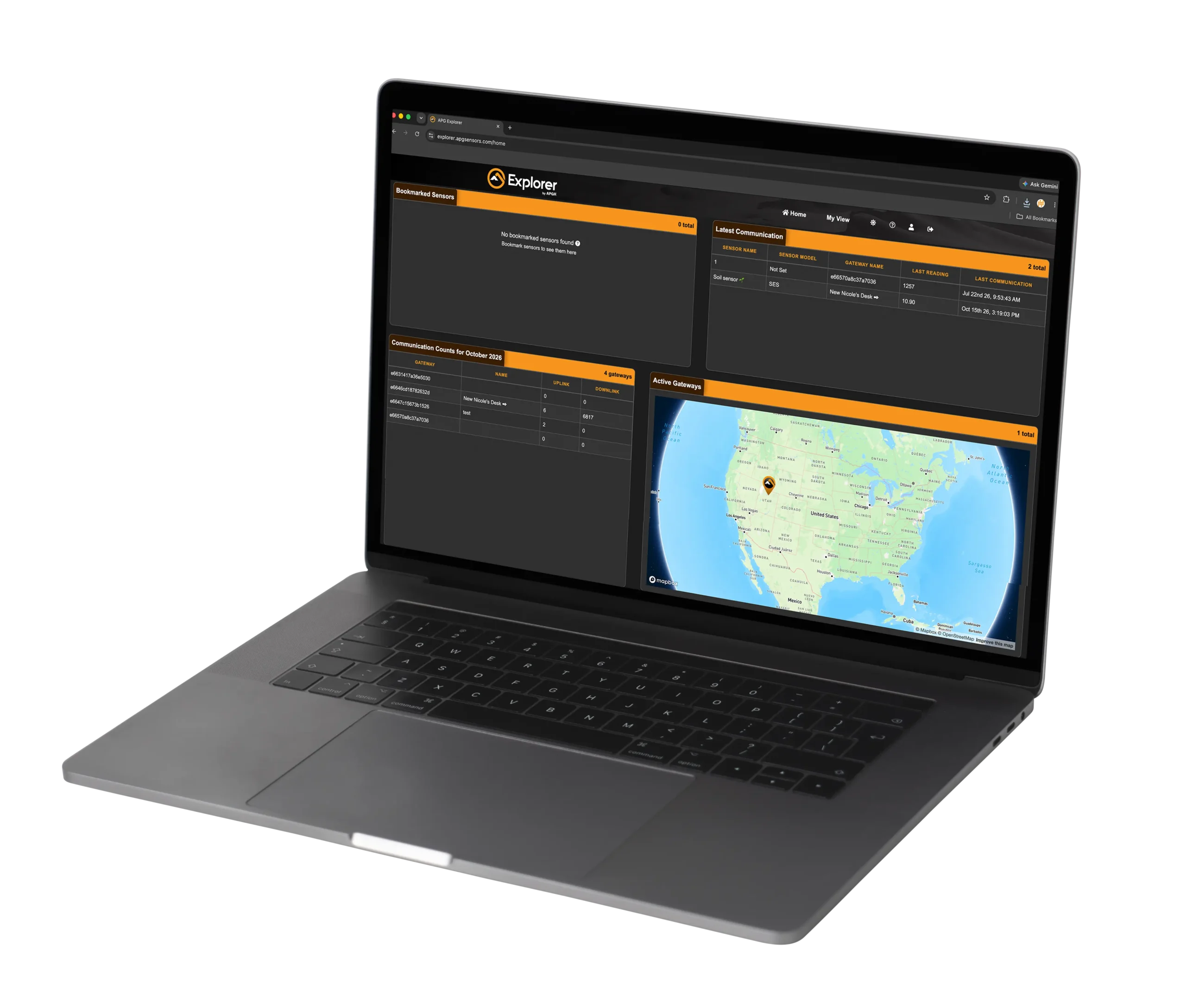




A seamless software system for remote monitoring via APG gateways. Visualize your sensor data with security and precision.
Access sensors readings and gateway information through a cloud-based platform, without needing to be on-site.
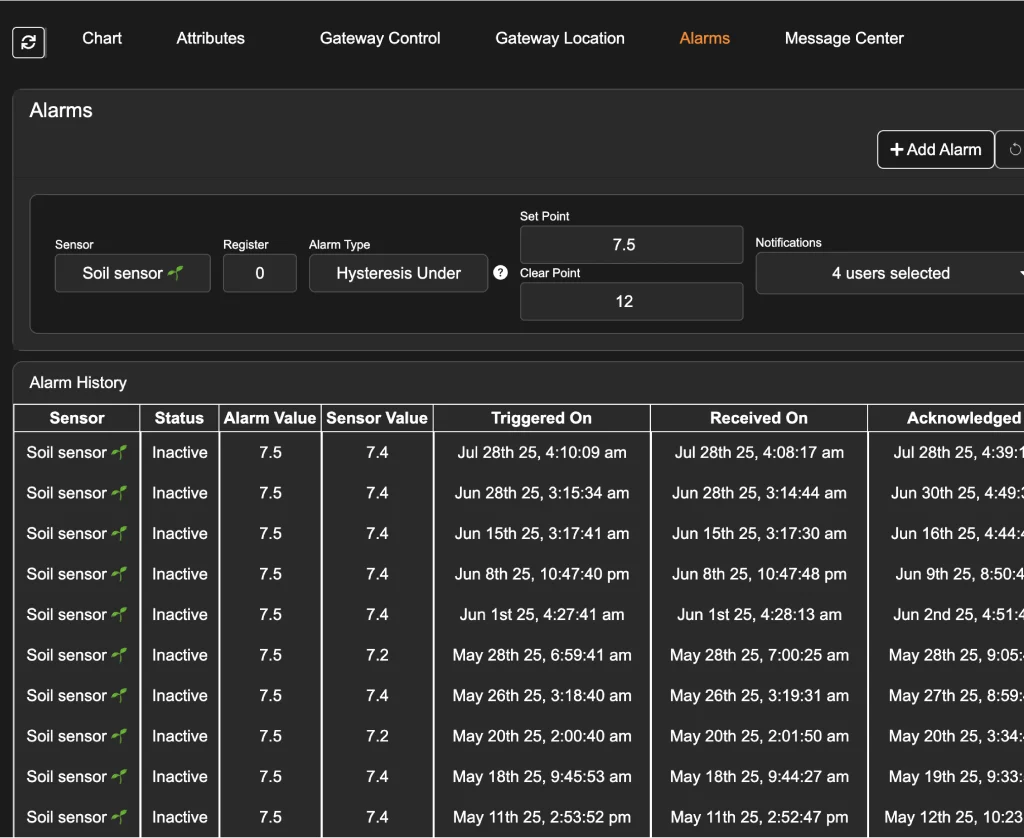
Set custom sensor alarms and receive alerts when readings fall above or below specified thresholds or change abruptly.
Visualize historical sensor data, view real-time readings, and leverage AI to view predictions.

Setup is fast and gateway integration is smooth. With Explorer, you can get full visibility all from a secure, cloud-based platform. Have control, clarity, and confidence in your monitoring system.

Register Explorer Account
Use the invite email from apgsensors.com to register your account and access Explorer.

Power & Connect Your APG Gateway Device
After purchasing a gateway device from APG (such as Settler), power the device and connect your sensors.
Setup & Configure
Use the simple Configure Gateway wizard in Explorer to set up your gateway and configure your sensors.
All plans cover the essentials, with flexible upgrades to unlock more insights and expand your monitoring capabilities as your needs grow.
Last 30 Readings
Set up Access
Last 30 Readings
Set up Access
Logging
Alarming
AI Prediction
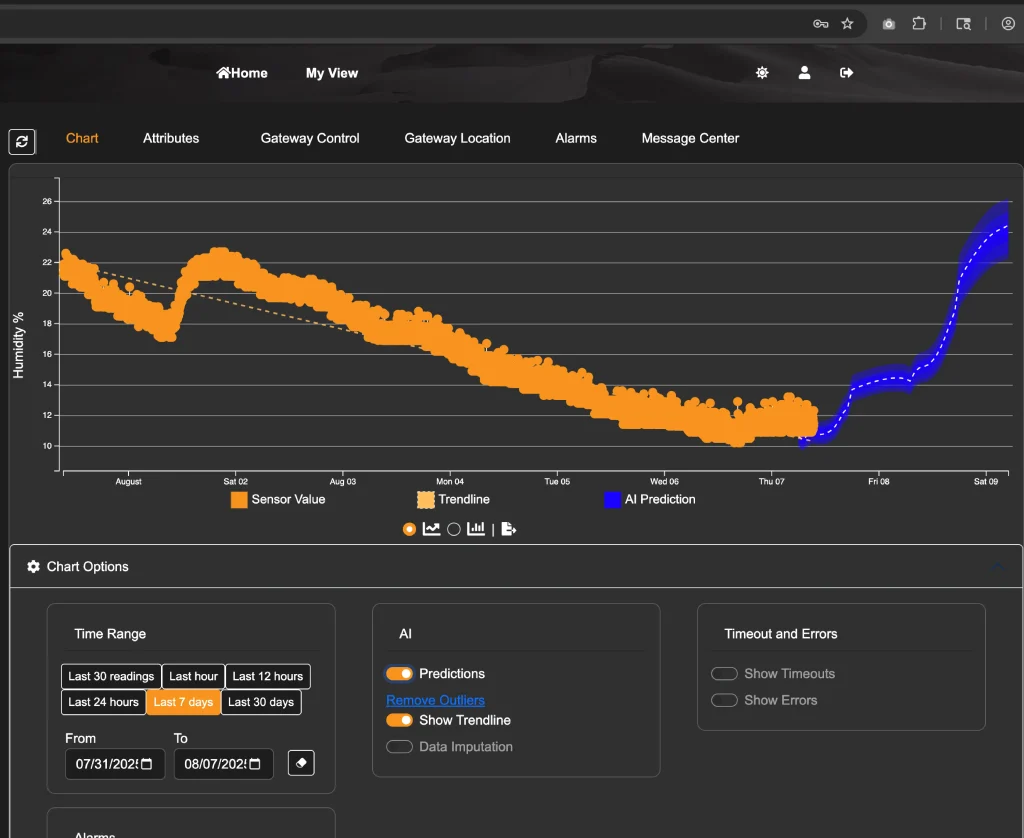
Unlock the power of foresight with Explorer’s AI Prediction add-on. This machine learning feature analyzes your sensor data to forecast up to the next 48 hours—helping you spot trends, prepare for changes, and catch anomalies before they become issues.
Available for both Basic and Advanced Explorer subscriptions.
Predict up to the next 48 hours of sensor data—whether it’s level, temperature, or something else—so you can stay one step ahead. Regenerated every 6 hours so you don’t stay in the dark.
The AI model updates weekly and refines itself with more relevant data—getting smarter over time with zero extra cost.
Automatically detects and filters out false readings, like echo loss spikes, keeping your trend data accurate and trustworthy.
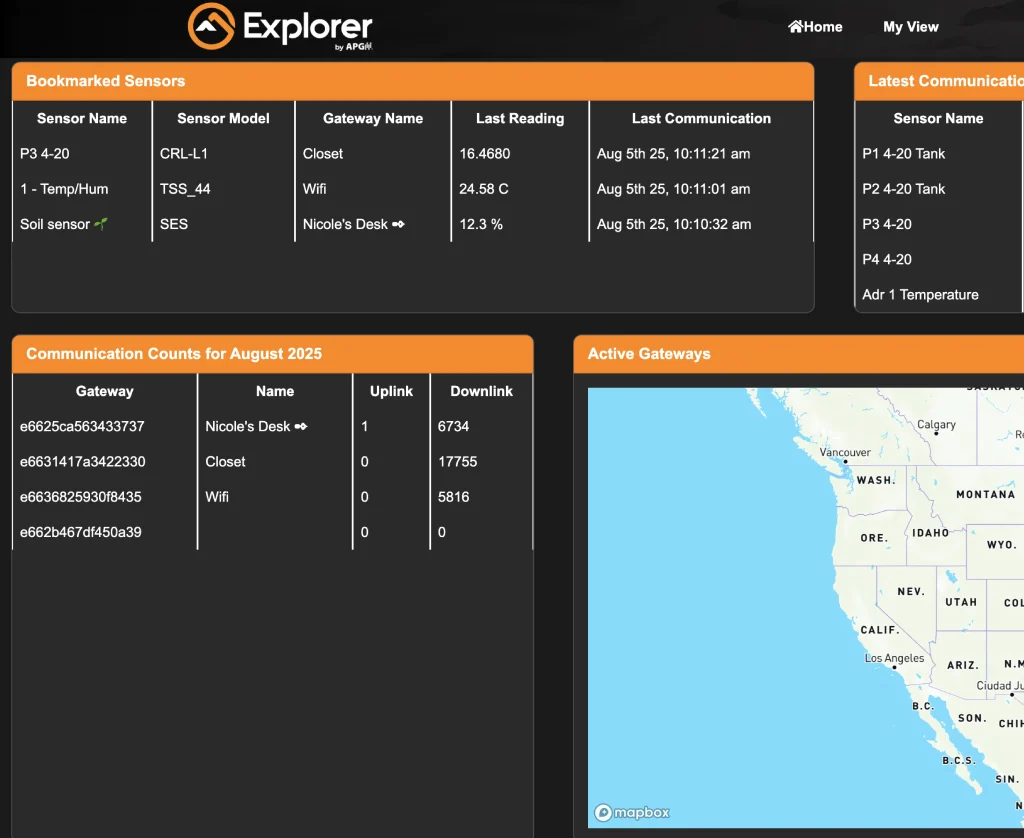
Stay on top of your system at a glance. The Explorer dashboard shows your bookmarked sensors, active gateways, communication counts, and latest communications—all continuously updated for fast, informed decisions.
Leverage advanced machine learning to predict equipment performance and maintenance—helping you prevent downtime before it happens.
Set up your own custom alarm rules to stay informed on what matters most. Get real-time alerts with contextual data to reduce false alarms and respond with confidence.
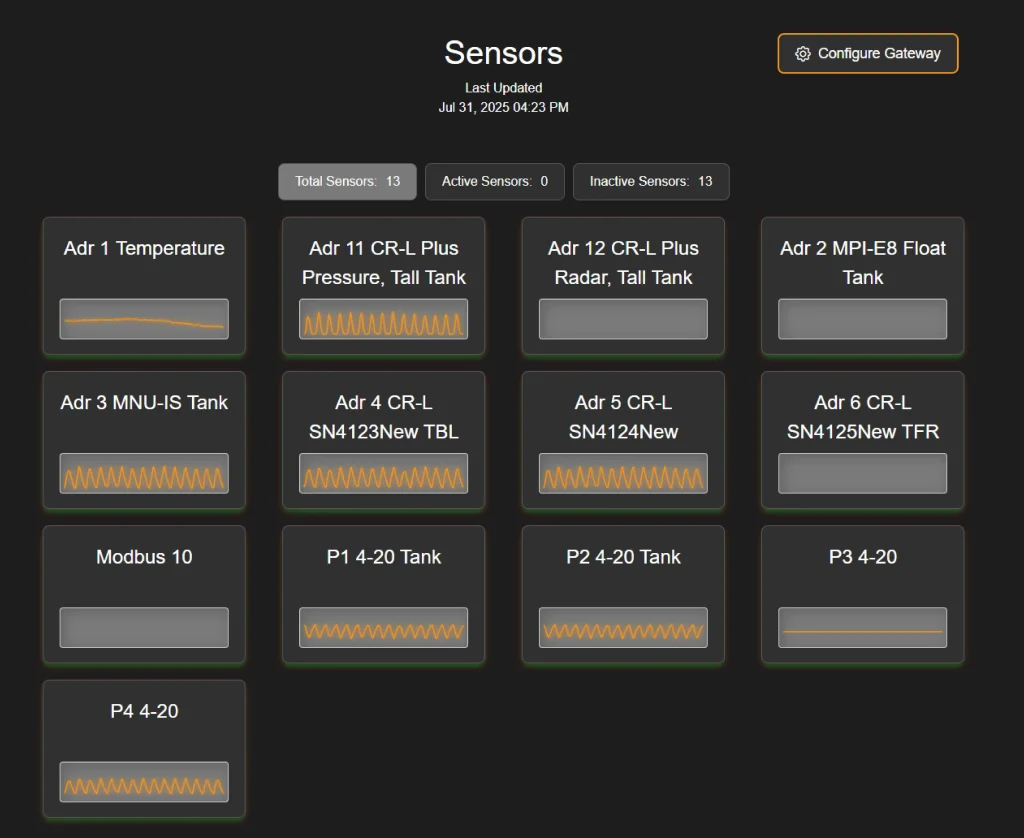
Easily manage all your Settler devices in one place—update settings, check statuses, and stay organized from anywhere.
We don’t expect users to have troubles with the Explorer software, however, here are some basic troubleshooting steps just in case.
Check email inbox for invitation and verification email. It may have gone to a spam folder.
Ensure the gateway device is powered on and connected to the internet. For Settler devices, refer to the Settler user manual for connection troubleshooting steps. You can view the user manual on the online page here.